
Saving a Mechanic for Later (My Favourites)
Once you’ve found a mechanic you like, it’s often useful to save their details for future bookings.
To make this easy, we’ve added a feature called “My Favourites”, which you can access at any time from your Customer Dashboard.
How to Save a Mechanic
- Browse the mechanic listings as normal.
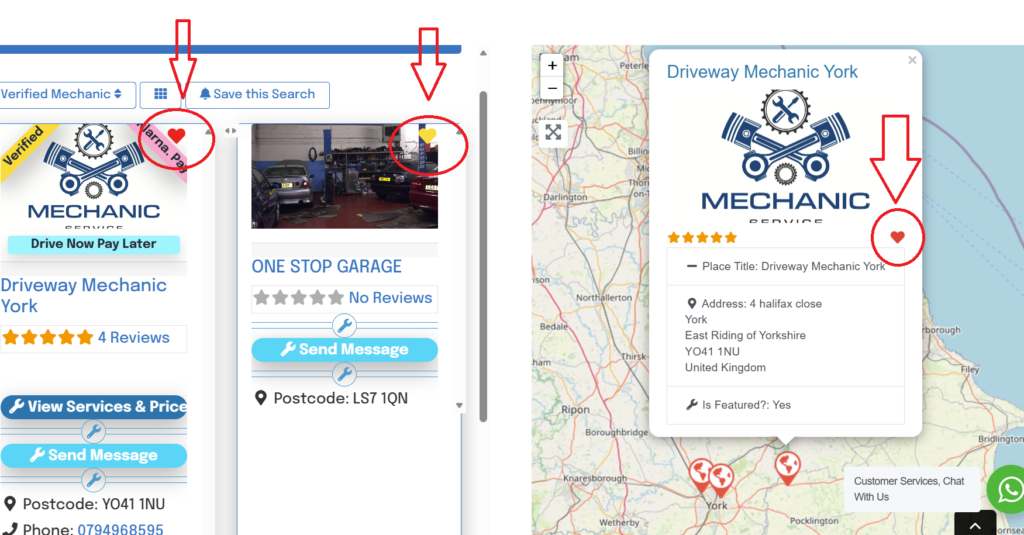
- On each mechanic’s profile card, you’ll notice a small heart icon in the top-right corner.
- Simply click the heart to add that mechanic to your favourites (the heart will turn red when its added to your favourites).
Where to Find Your Saved Mechanics
All your saved mechanics are stored in your My Favourites section.
This can be found inside your Customer Dashboard, making it easy to return to mechanics you trust or want to book with later.
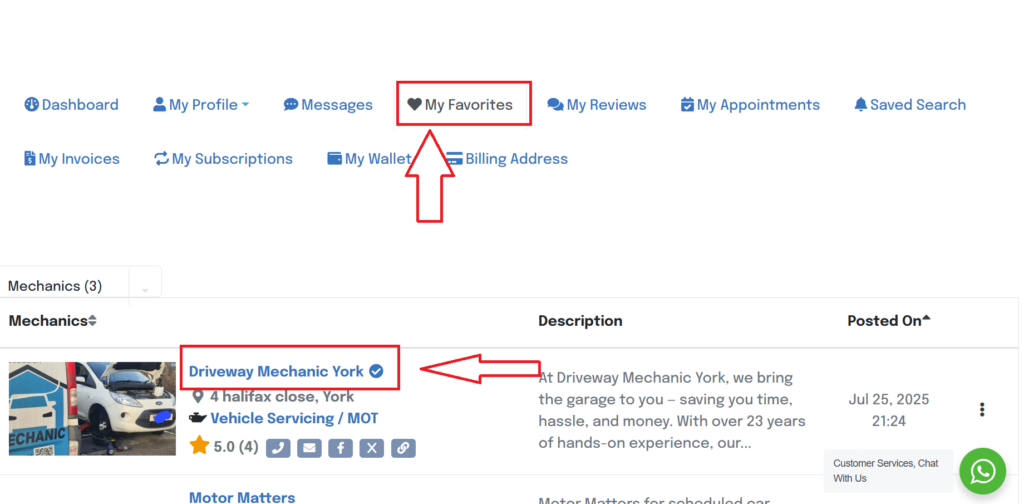
Click on the mechanics name to open there profile to make a booking
