Skip to content
Editing My Listing.
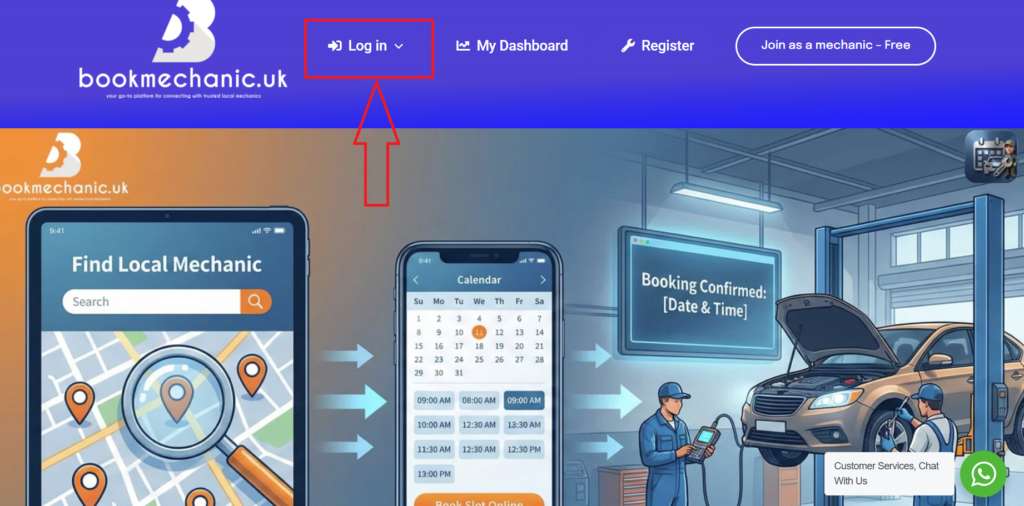
- Log in using the “Log in” prompt at the top of the home page.
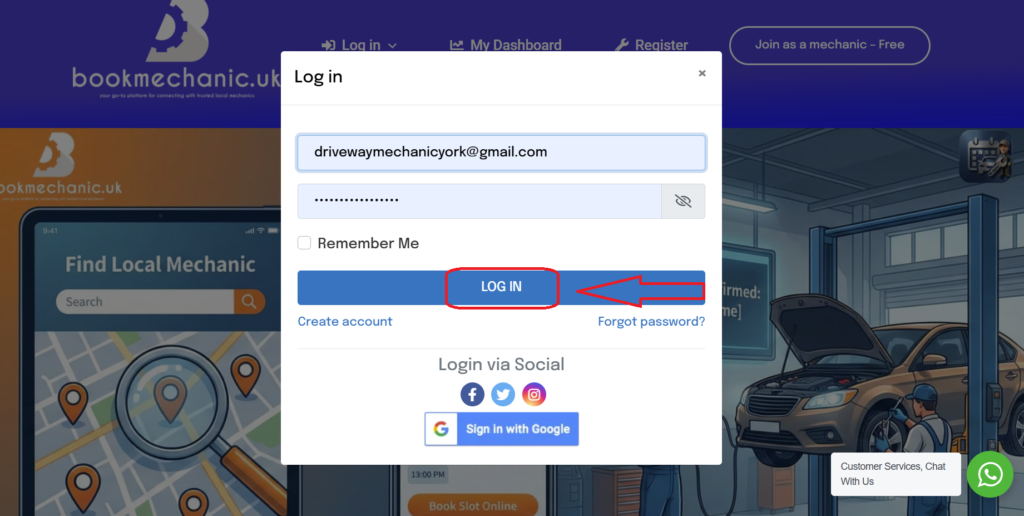
- When the light box appears entre your mechanic username, password then press “Login”.
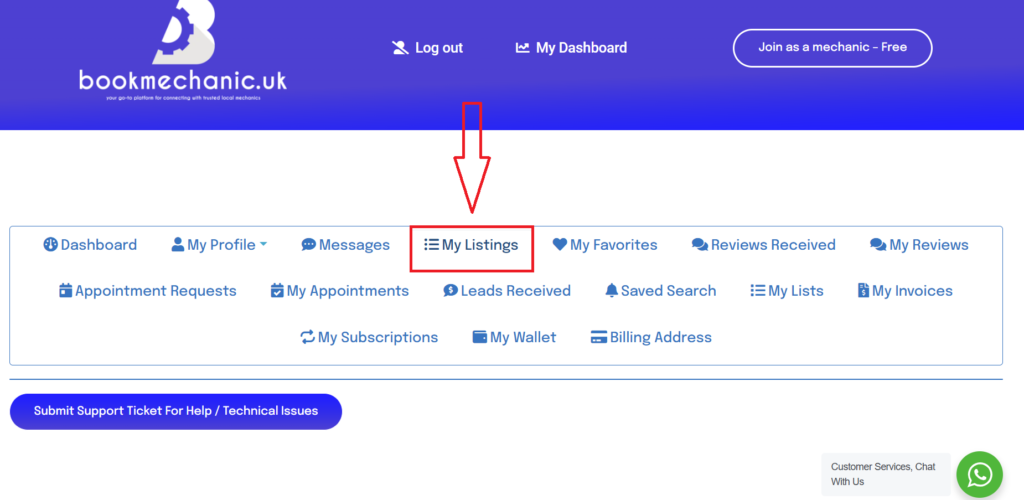
- You will be directed to your mechanics dashboard. Select the “My listings” tab.
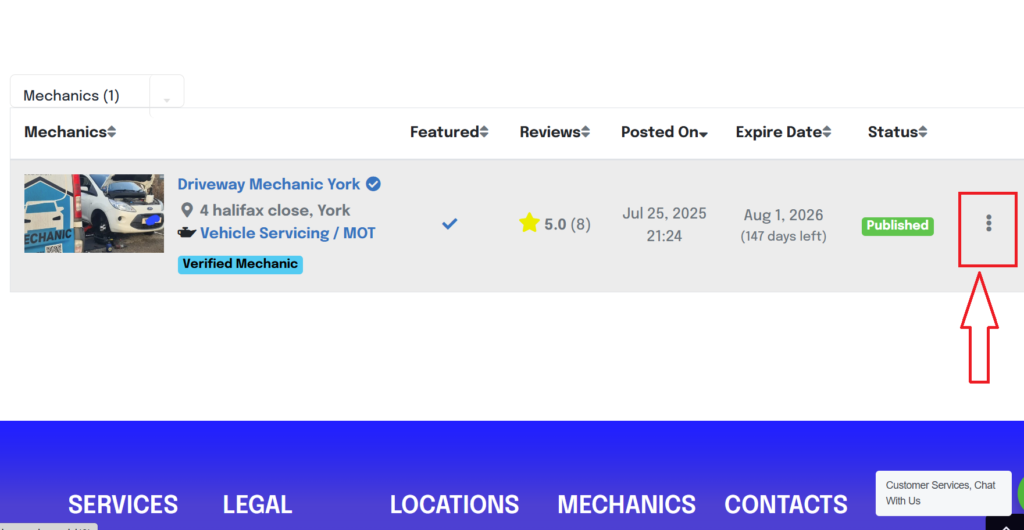
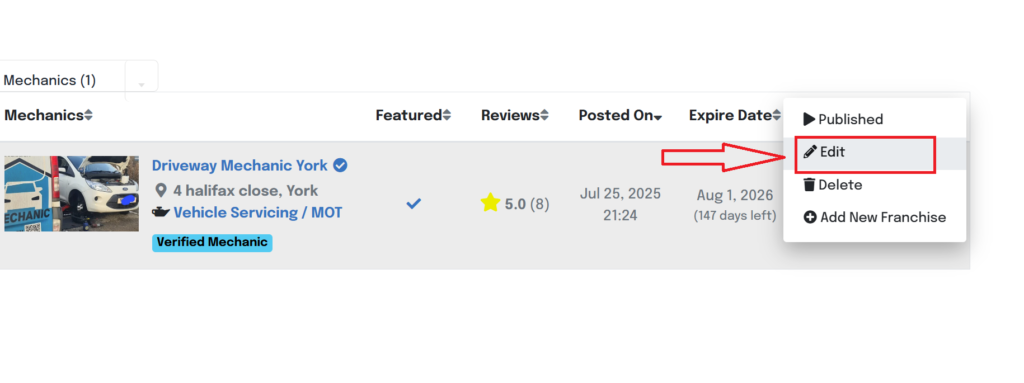
- Click on the three dots to the right hand side of your listing information.
- Select the “Edit” option from the options menu.
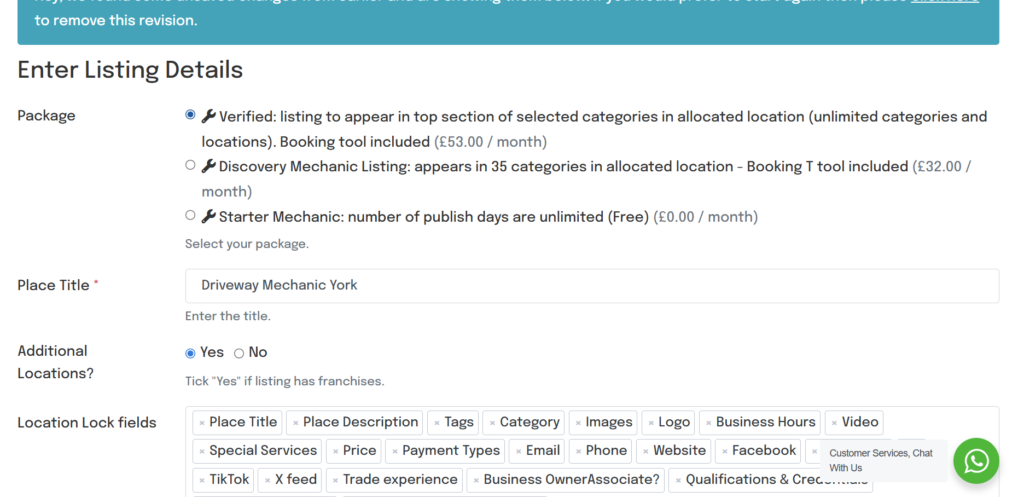
- This will direct you to the “Enter Listing Details” page, from here all content inside your listing apart from your appointment tool can be changed.
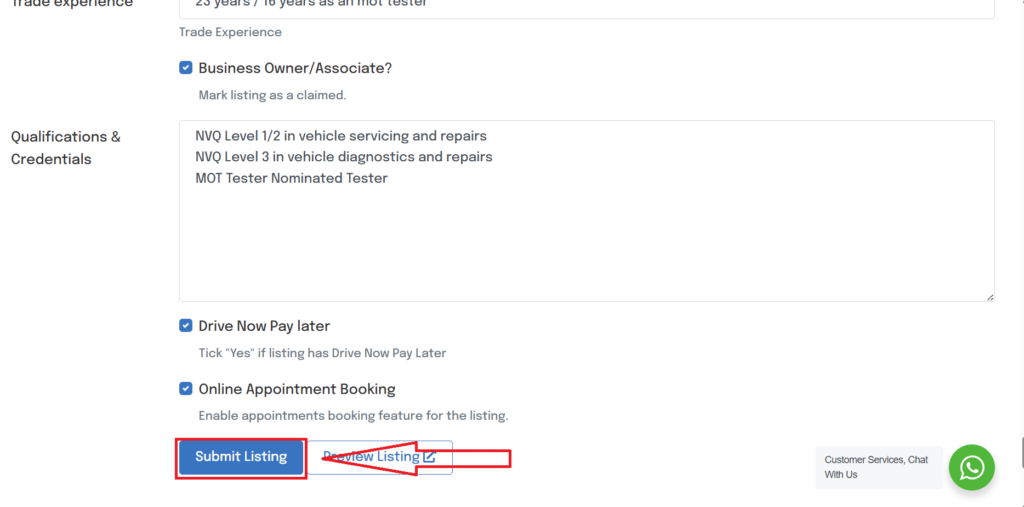
- Select “Submit Listing” once completed and this will set your edits live. Some edits can take up-to 48hr to show.
Share This Story, Choose Your Platform!
Page load link