One of the best FREE ways to get seen not just on bookmechanic.uk but as a whole online is reviews. Bookmechanic.uk will always show the most relevant Mechanic to the customer but there are some trump cards.
Bookmechanic.uk will show exacted services required to distance from the customer, if there is more than one exacted match in the customers area it will now prioritise the verified mechanics (Mechanics that have been vetted) next it will give the customer the Mechanic with highest star rating to quantity of ratings.
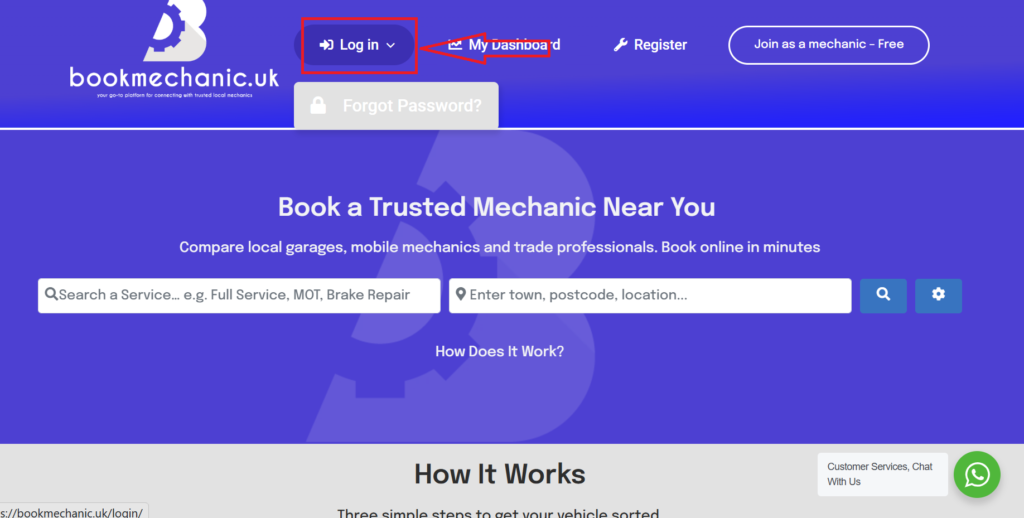
The best way to improve reviews is to send your customer a review link to review your profile. so head over to the “Log in” at the top of the page and click select.
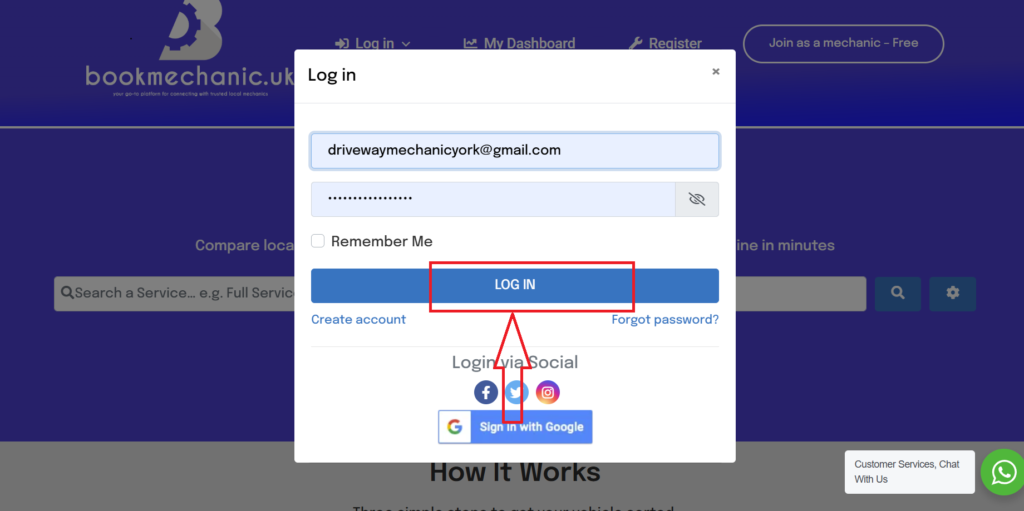
Entre your log in details and click “Log In.”
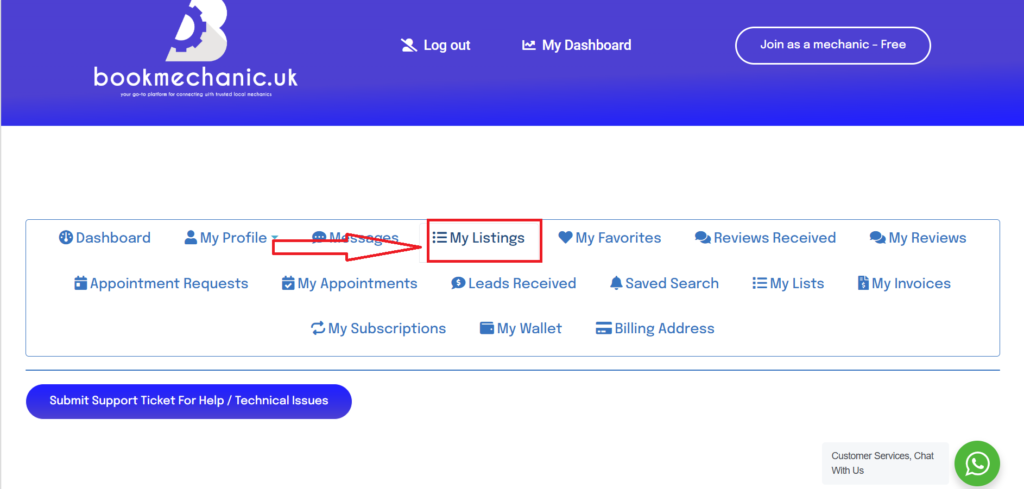
Once in your dashboard select the “My Listings” Tab.
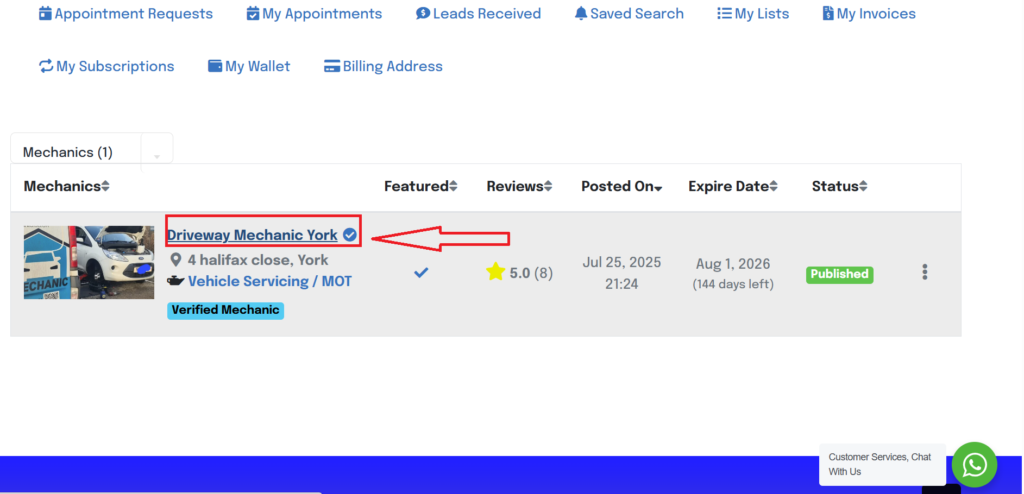
Once redirected to your listing select your company name to be take to your profile live view.
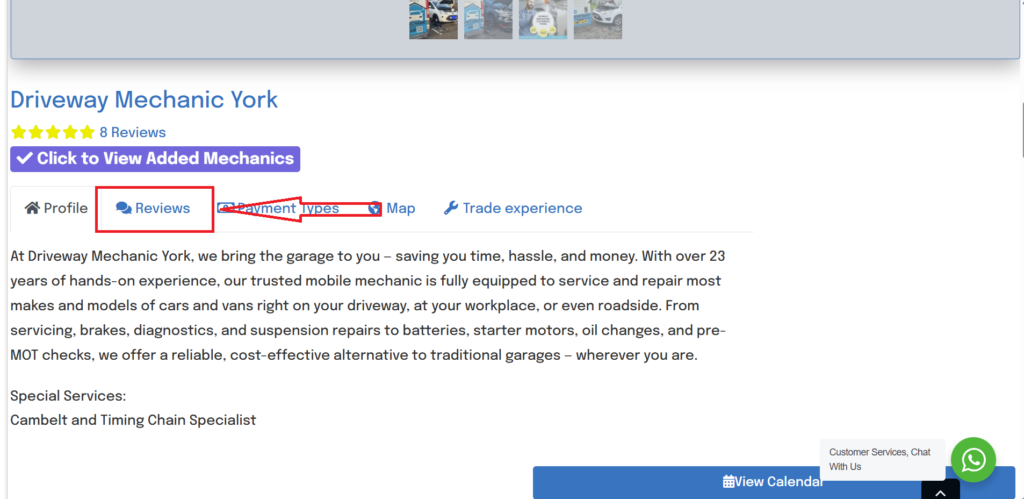
Select on the “Review” section and this will alter the URL to your review page.
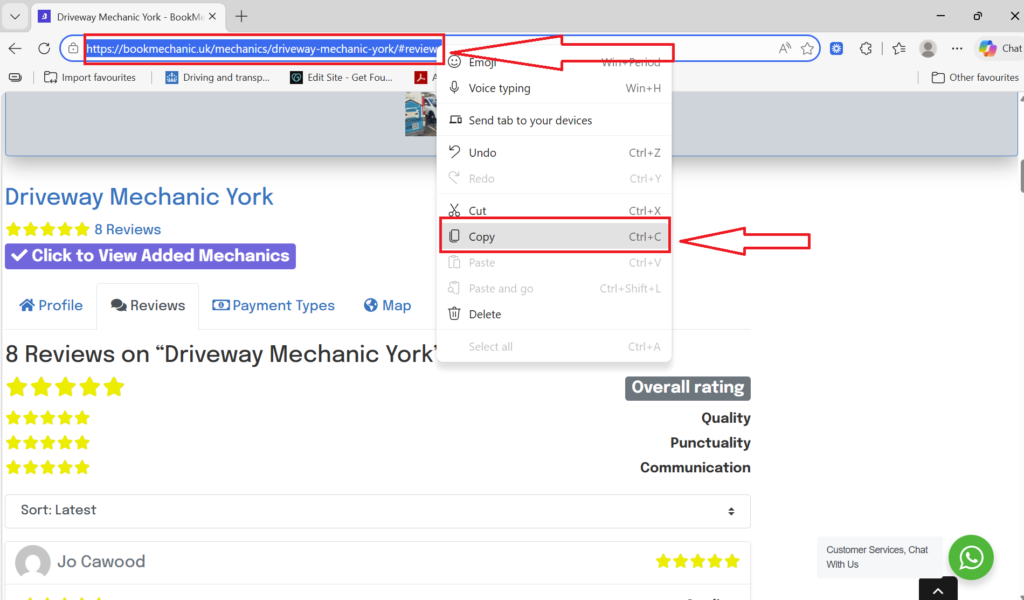
Copy the URL to your clip board by highlighting and right clicking on the URL.
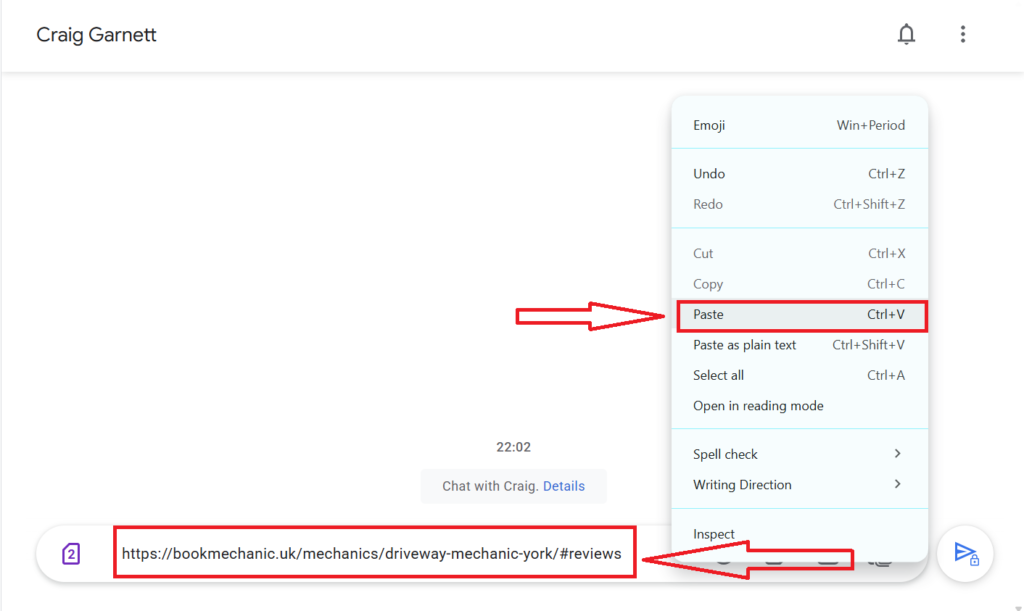
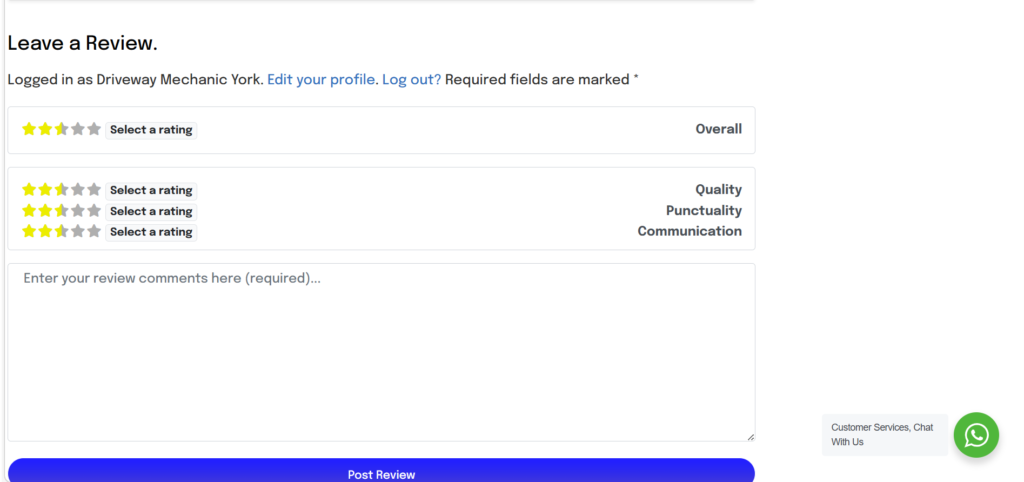
Now this can be pasted via email, text or what’s app to your customer allowing them to leave a review directly on your page.
Remember to respond to any reviews posted on your page. search engines and social searches will always opt for a review with a response.
By bookmechanic.uk|2026-03-10T22:35:25+00:0010 March 2026|Comments Off on How to Send Review Request to Customers