Booking a Service or Repair
Booking a service or repair on BookMechanic.uk is simple and takes just a few minutes.
1. Start by Searching
Use the search bar on the homepage or listings page:
- Enter the service or repair you need
- Enter your location
- Choose from the list of available mechanics

2. Choose a Mechanic
Browse the results and select a mechanic that suits your needs.
You can compare:
- Ratings
- Prices
- Services offered
- Availability
- Customer reviews
If you’re not ready to book, you can click the heart icon to save them to your Favourites.
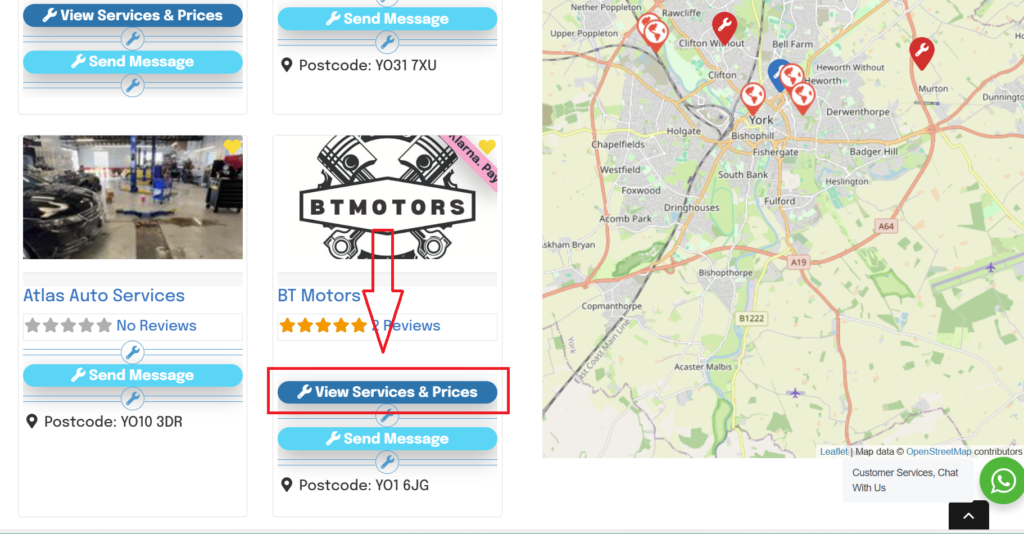
Lookout for the mechanics with the “View service & Prices” Button, these mechanics have bookings available in there profiles.
3. View Their Booking Tool
Once on the mechanic’s profile, click “Book Now” to open their booking tool.
Here you’ll be able to:
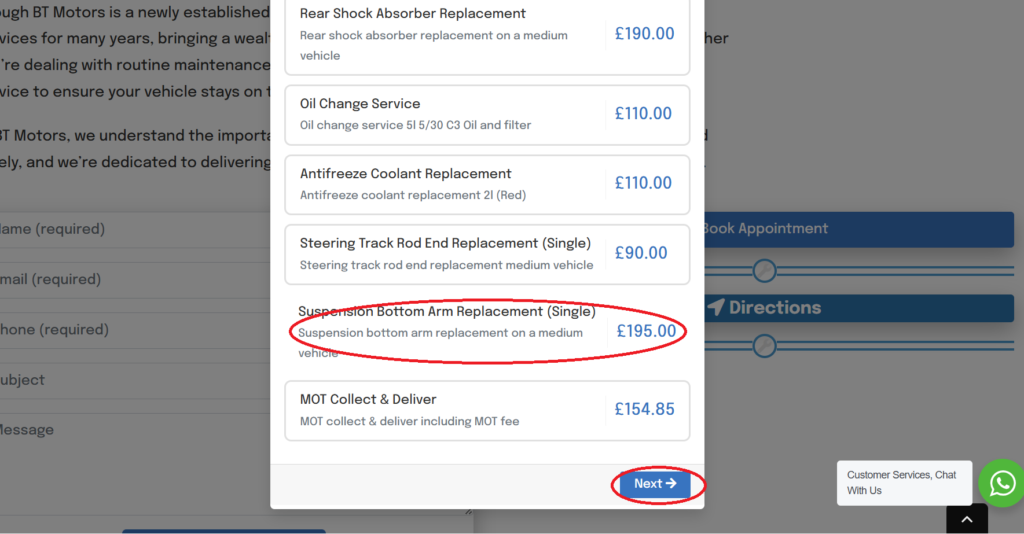
- Select the service you need
- Choose a date and time
- Review the estimated cost
- Add notes or vehicle details (if required)

4. Confirm Your Booking
After selecting all details, simply confirm your appointment.
You’ll receive:
- A booking confirmation via email
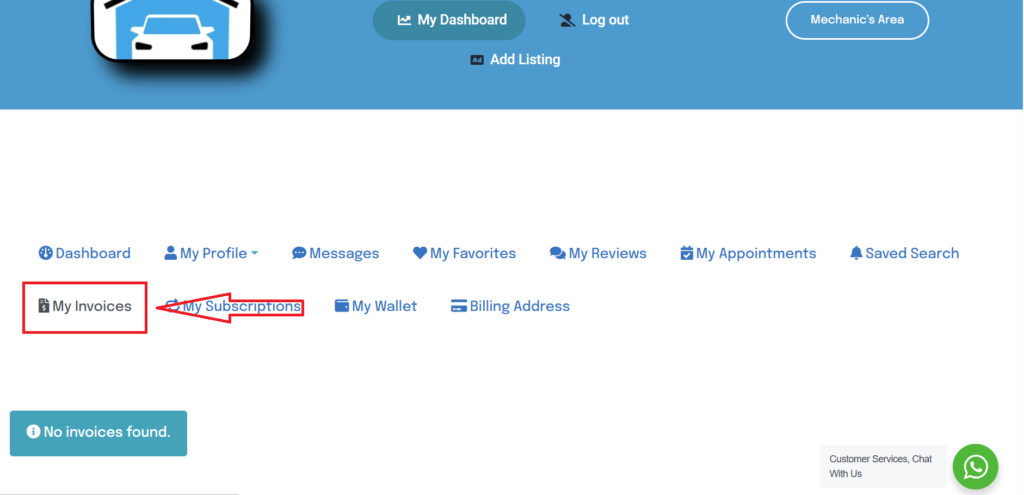
- A booking invoice and pdf in your dashboard
- Notifications of any changes
5. Track Your Booking
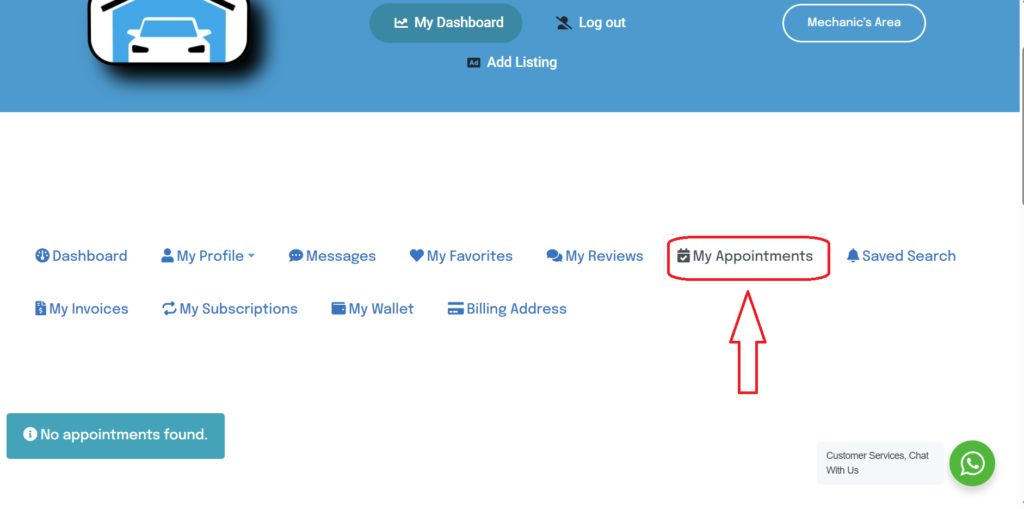
All your bookings can be viewed inside your Customer Dashboard, where you can reschedule, cancel, or contact the mechanic if needed.
Booking invoices and pdf download can be viewed inside your customer dashboard.