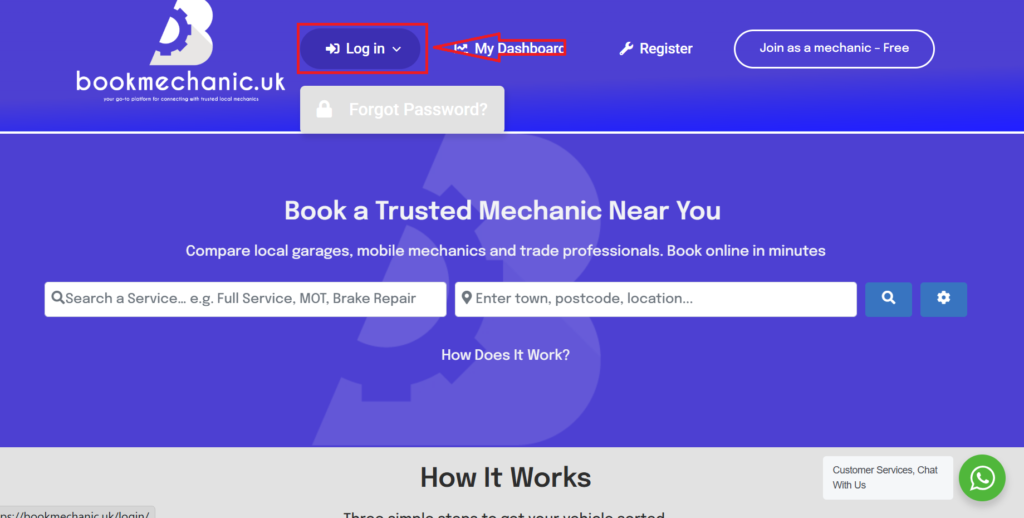
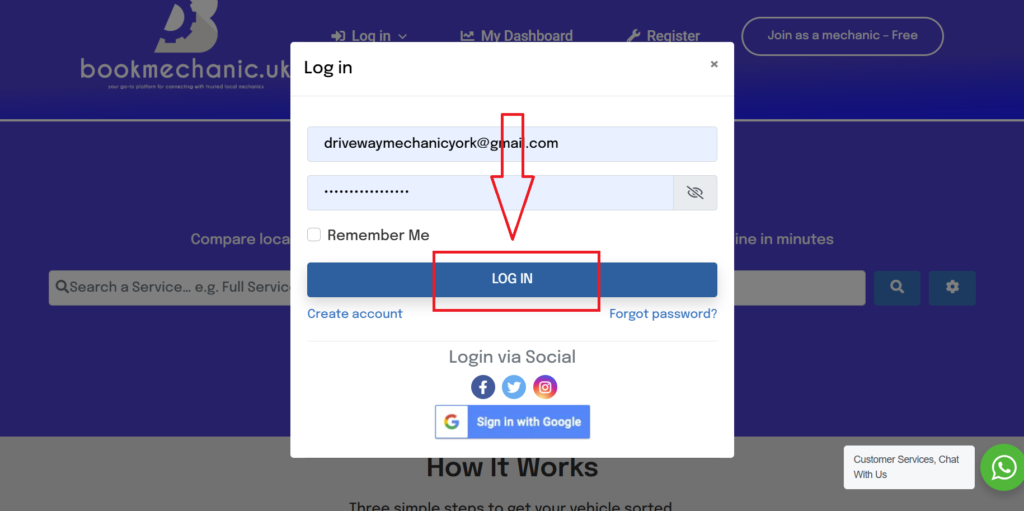
When prompted entre your log in details and select “Log in” This will redirect you to your Mechanics dashboard.
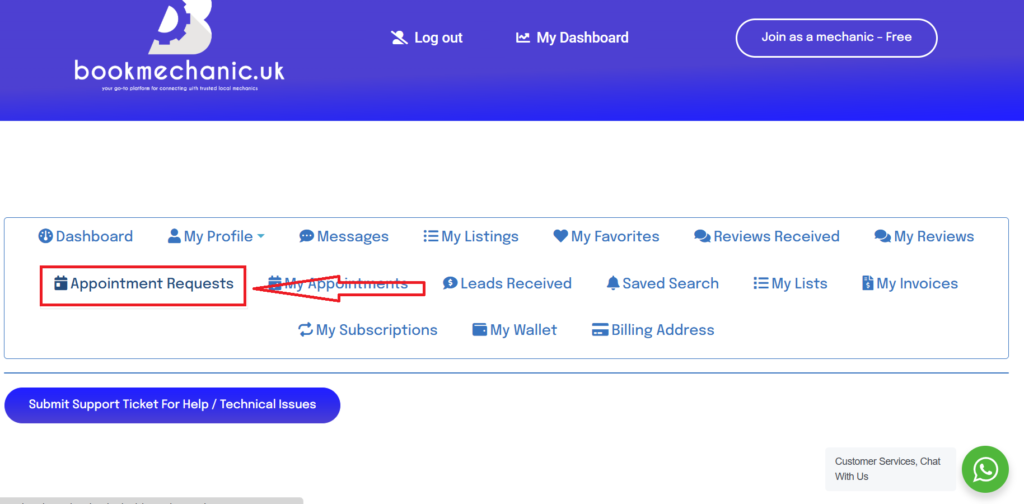
Once inside your dashboard, select “Appointment Requests.”
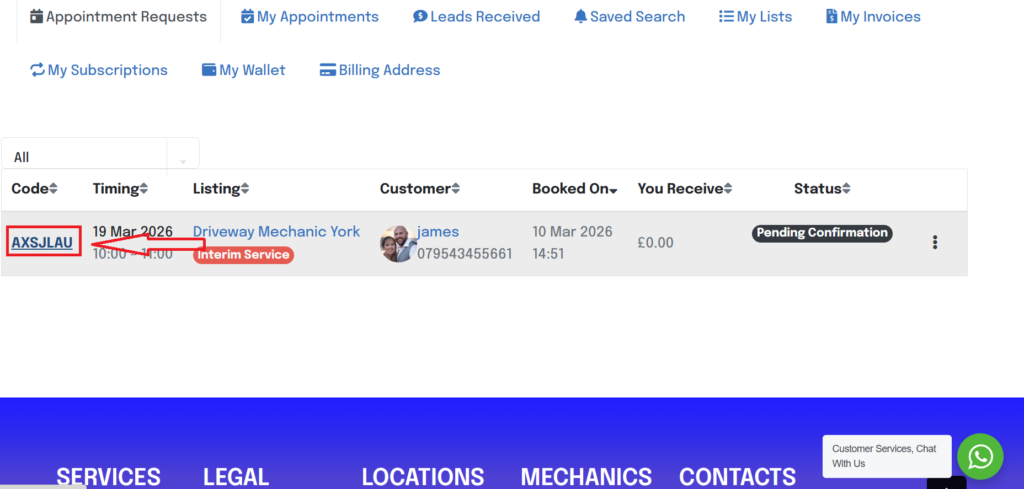
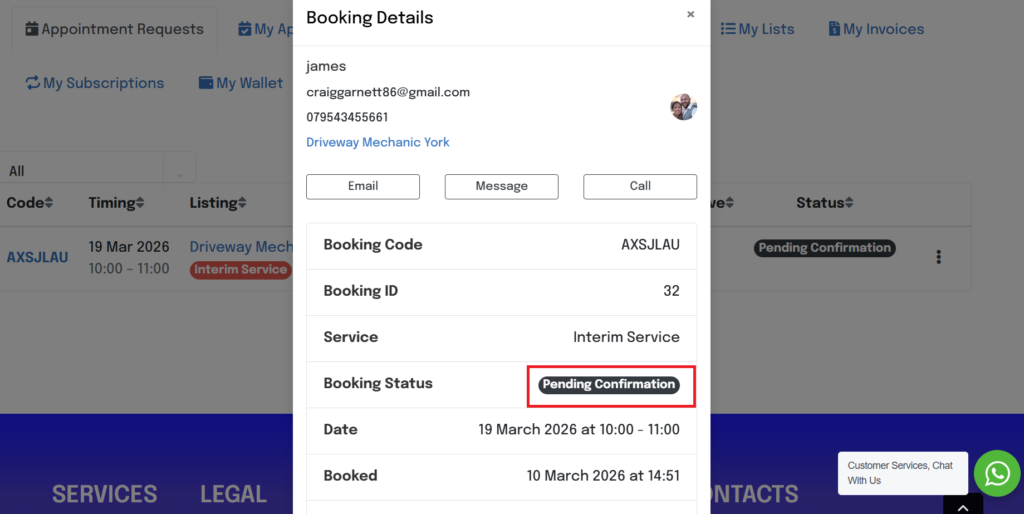
You will be shown a list of bookings with the status “Pending Confirmation,” “Confirmed” or “Rejected”. Select the booking code to view and accept or reject booking.
Now you will see all details from the customer including email and phone number. Please contact the customer directly if there is an issue with the booking, Remember the customer has selected you to book. We don’t allocated random mechanics to bookings.
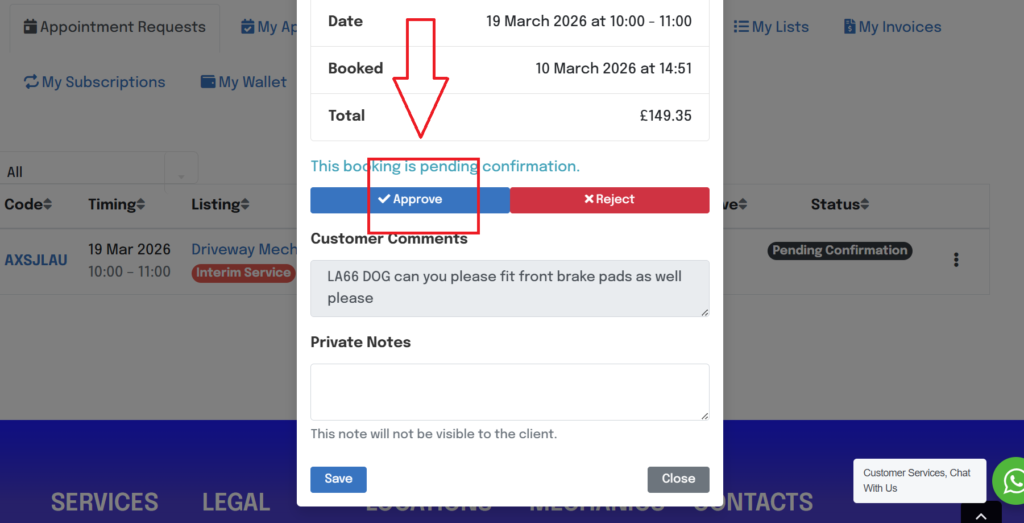
Select approve when the booking is ok to go ahead and select save, this will automatically send the customer an email with the confirmation booking details. Rejected will also automatically inform the customer by email. If you need to reject a booking for any reason please contact your customer first.
Most customers are ok with been rebooked for another day, if this is the case please still select accept if the job goes ahead. this will allow us to monitor the success rate of bookings and allow us to adjust our marketing to improve the booking rate.
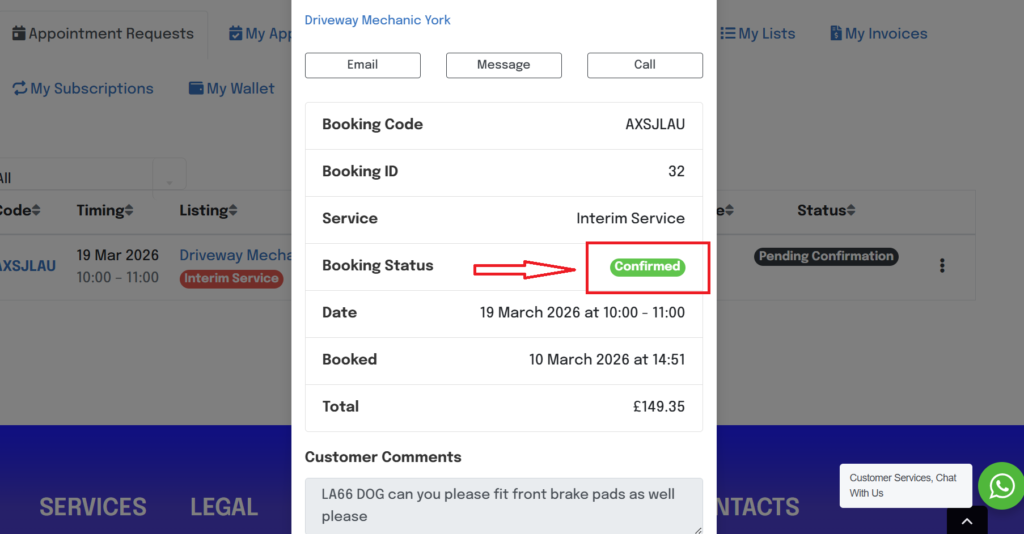
Now the Status of the booking will be altered accordingly
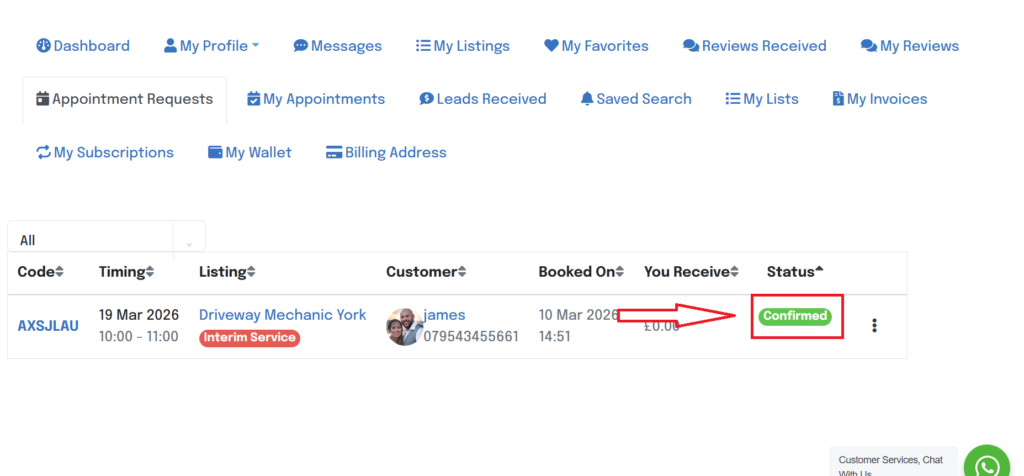
This will also change the status on the main menu of “Appointment Requests.”
By bookmechanic.uk|2026-03-10T21:39:07+00:0010 March 2026|Comments Off on How to Access My Bookings