
The My Wallet section is your financial hub on BookMechanic.uk.
This wallet is powered by GetPaidWP and Stripe, and is automatically created for every mechanic when they join the platform.
How Your Wallet Works
Whenever a customer books and pays for a service through your profile, the payment is processed securely through Stripe Checkout.
Once the payment clears:
- The funds are deposited into your Wallet balance
- Platform commission is automatically deducted
- The remaining amount is available for you to use or withdraw
You can view all wallet transactions in your Mechanic Dashboard → My Wallet.
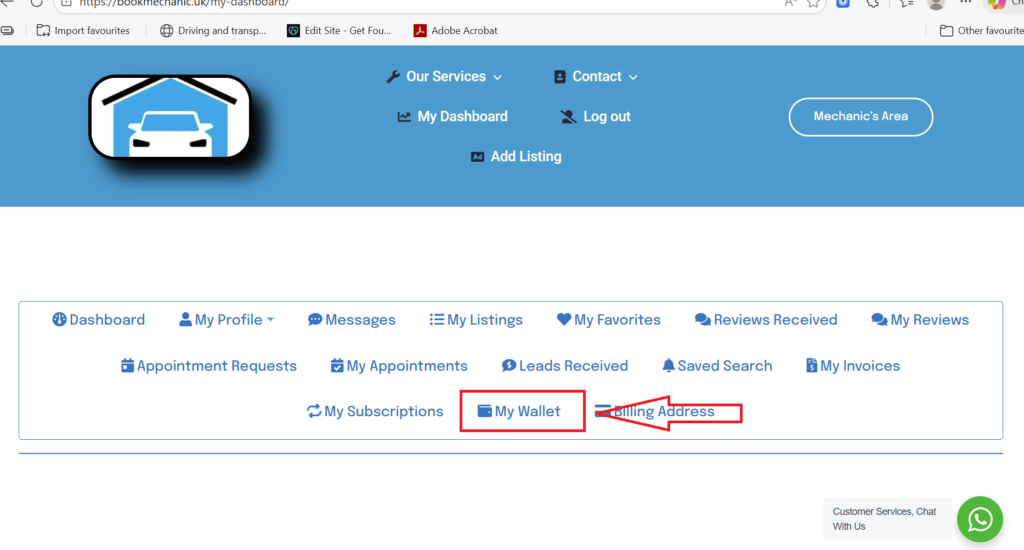
What You Can Use Your Wallet For
Your wallet balance can be used across the platform, including:
- Paying for new leads
- Paying listing fees or advertising
- Purchasing other services offered by BookMechanic.uk (websites, CRM tools, social media services, workshop management tools, etc.)
You can choose to pay directly using your wallet balance whenever a service or fee is required.
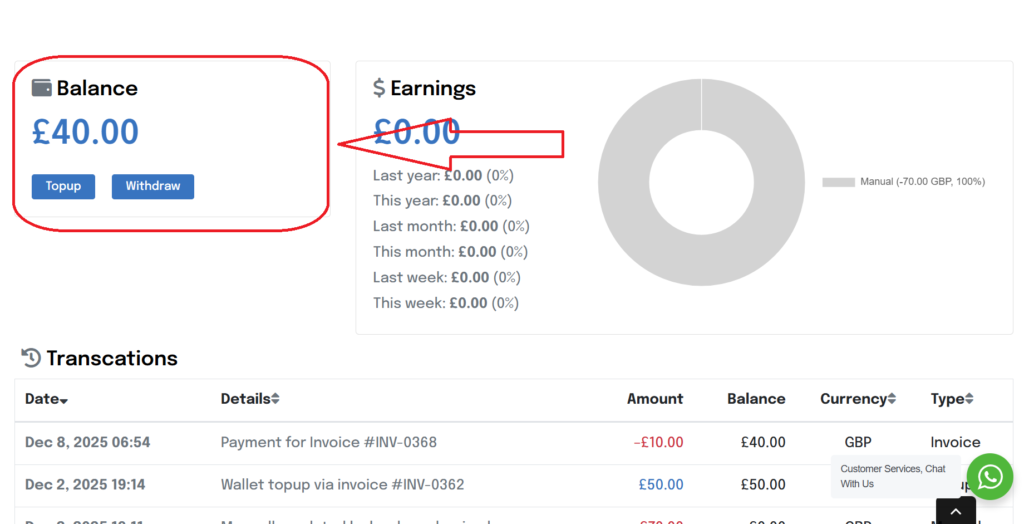
Topping Up Your Wallet
If your balance is low, you can easily add funds:
- Go to My Wallet → Add Funds
- Choose the amount you want to add
- Select Stripe Checkout to complete payment
You can use debit/credit card, Apple Pay, Google Pay, Klarna (if enabled), or any other payment method supported by Stripe.

Withdrawing Your Funds
You can withdraw your available wallet balance at any time.
- Withdrawals are sent directly to your connected Stripe account
- From Stripe, you can transfer the funds to your bank account as normal
- Withdrawal times depend on Stripe’s payout schedule (typically next-day or 3–5 days depending on your account)
Your Stripe account must remain active and verified for payouts to work smoothly.

Keeping Track of Everything
Inside your wallet you can view:
- Incoming payments from customers
- Commission deductions
- Top-up payments
- Lead purchases
- Withdrawals
- Service or subscription payments
This gives you a full financial overview in one place.
